

Your main point of access to the features of Kibana will typically be via the side menu bar. Here is a brief overview of each icon and what they will take you to:
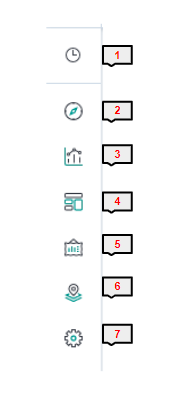
1) Recently Viewed
This will pop out a list of your most recent visualizations, searches and dashboards for quick access.
2) Discover
Takes you to the Discover page where explore and query your raw data.
3) Visualize
Create new visualizations from your data to add to your dashboards.
4) Dashboards
Create and view your dashboards, adding your saved visualizations.
5) Canvas
Capture your data in an enhanced, graphical layout for presentations and reports.*
This is an advanced feature and not yet fully optimised. Please speak to your HCS support team before utilising this feature.
6) Maps
Allows the exploration of geospatial data and aggregate and view on maps of the world.*
*Current 1CV users will not have data available to use this feature correctly. We will update clients on this in the future.
7) Management
The settings and options for your Kibana instance.
Please do not amend or affect any options under this setting without speaking to your 1CV support team first!